Equal Games
Can simulation games teach kids about accessibility? A 21-student study, and the UX changes that made the games work for younger players.
Challenge
Accessibility learning games existed for university students, but nobody knew if they worked for kids.
Solution
Interviewed and observed 21 K-8 students playing the games, then redesigned them for younger players.
Impact
Co-authored paper published at ACM SIGCSE 2025, with the games updated for younger players.
What I did
- Research design
- Semi-structured interviews
- Observational testing
- Qualitative analysis
- Plain-language UX writing
- Accessibility redesign
- Academic publication
- Poster presentation
Great accessibility games exist. But not for kids.
- 25.7% of Americans have a disability, the largest minority group in the U.S., yet software often treats them as an afterthought.
- Root cause: developers learn accessibility late, if at all.
- Our bet: teach it young, and it becomes a habit instead of a fix.
What do K-8 students already know about accessibility?
Do simulation games change how they see the challenges of inaccessible software?
What needs to change to make university-level games work for kids?
21 students, each interviewed one-on-one.
Intro interview
What do you already know about disabilities and technology?
Gameplay observation
Students picked 3 of 6 games and shared their screen over Zoom while we noted reactions.
Exit interview
How did it feel, and what did you learn?
- Participants: 21 students in grades 2–8 from public and private schools in 9 cities across 3 U.S. states. Most (16) were in grades 5–8, for enough tech experience.
- When: February and March 2024, over Zoom.
- Analysis: thematic analysis of the interview notes, with a second author independently reviewing the codes.
Four rounds per game
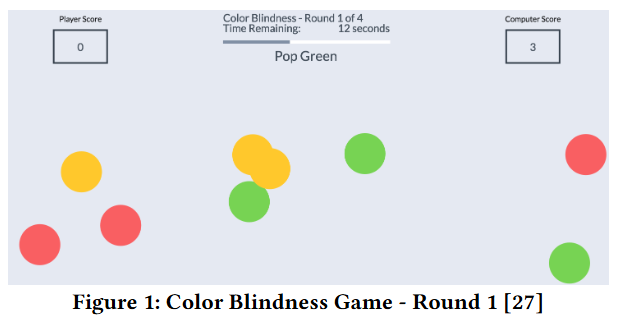
- 1GamePop the right balls, no simulation.
- 2SimulationSame game, with a disability simulated.
- 3Game + accessibilityAccessibility features turned on.
- 4Simulation + accessibilityThe disability, plus the fix that helps.
The six simulations
| Disability | Simulated effect |
|---|---|
| Color blindness | Recolored balls simulate red-green color blindness |
| Deafness | Sound disabled, so spoken instructions can't be heard |
| Physical / motor | Shaky mouse movement simulates hand tremors |
| Blindness | Black overlay hides all visuals and instructions |
| Low vision | Blurred screen |
| Dyslexia | Remapped phonemes simulate literacy challenges |
Who took part
| Grade | Students |
|---|---|
| 2 | 1 |
| 3 | 3 |
| 4 | 1 |
| 5 | 7 |
| 6 | 3 |
| 7 | 4 |
| 8 | 2 |
12 boys and 9 girls, interviewed one-on-one over Zoom.
See the interview guide (15 questions)
Before the games
- Do you know what accessibility is?
- Have you thought about challenges people with disabilities face when using computers?
- Can you name any accessibility features used on websites or apps?
- Have you learned about software accessibility before?
- What types of technology do you use?
- Is some technology harder to use than others? Why?
- Do you play video games often?
- What games do you enjoy on computer?
- Do you use games to learn?
- What do you like about those games?
- What frustrations do you have?
After the games
- What did you think about the games?
- What did you like and dislike about the games?
- Which game do you like the most? Why?
- What challenges did you face? In which round?
- Were the instructions understandable?
- What new insights about accessibility did you gain?
- Was anything confusing?
- Any recommendations for improvement?
The games worked. The instructions didn't, yet.
Very limited awareness
Only 4 students had learned about disabilities before. Lesser-known conditions like dyslexia were unfamiliar.
The games changed minds
Students gained new understanding of inaccessible software. The frustration of Simulation rounds was part of the learning.
Instructions lost them
Kids skipped long instructions, and terms were too advanced for grades 2–4.
In their words
“I know it sounds like access, so letting someone access something.”
“They made me understand what it’s like for people with disabilities.”
“I just played like how mom would play without her glasses.”
“It’s much easier to understand with the color labels.”
Every finding became a fix.
After the study, we updated the games based on what we saw.
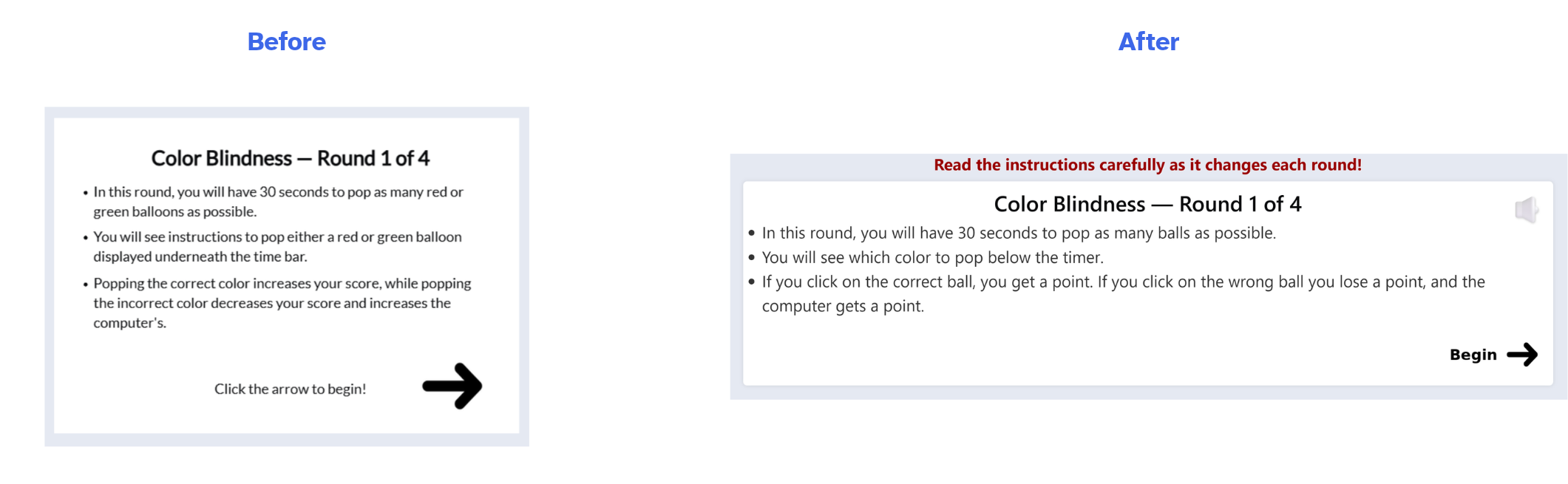
Before and after: condensed, plain-language instructions
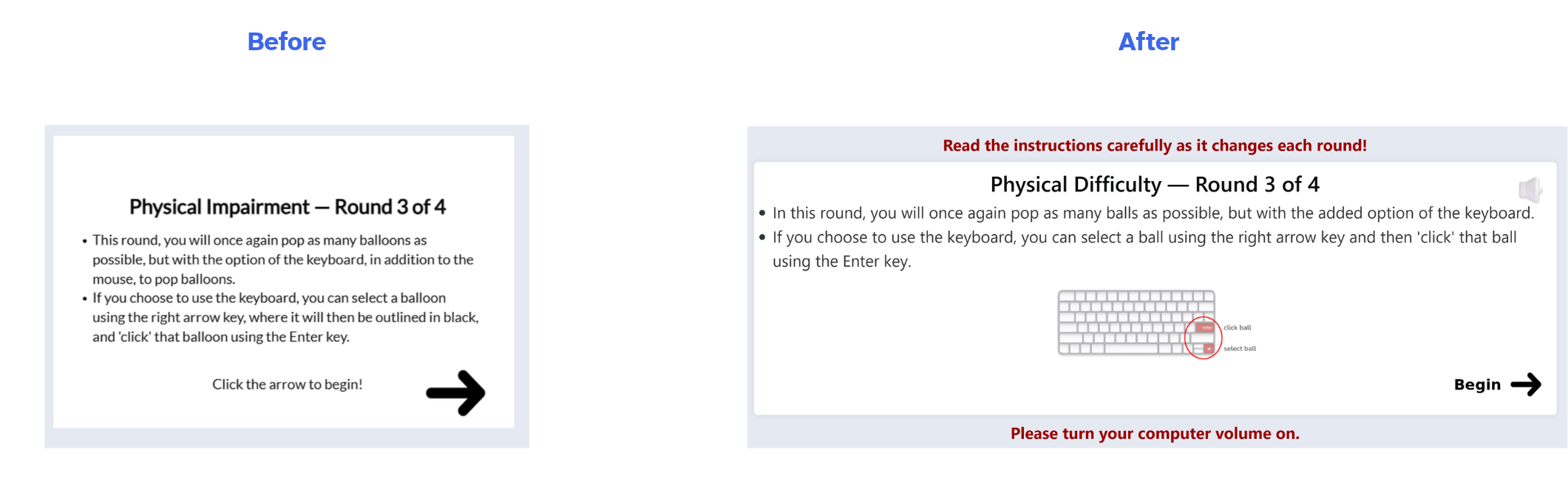
Before and after: keyboard location graphic added
Tip: click any image to see it full size.
Next steps based on our findings
- Age-appropriate language, with clear explanations of terms like “visual impairment.”
- Show, don’t tell: images, animations and short videos instead of text-heavy instructions.
- Nudge players to use the features, since some kept using the mouse even when a keyboard option helped.
- Explain the hard rounds with encouraging messages, so frustration turns into empathy.
- Keep scores and competition, because kids cared about winning and it kept them engaged.
Published, and put to work.
Our two teams published the paper "Opening Digital Doors: Early Lessons in Software Accessibility for K-8 Students" ↗︎
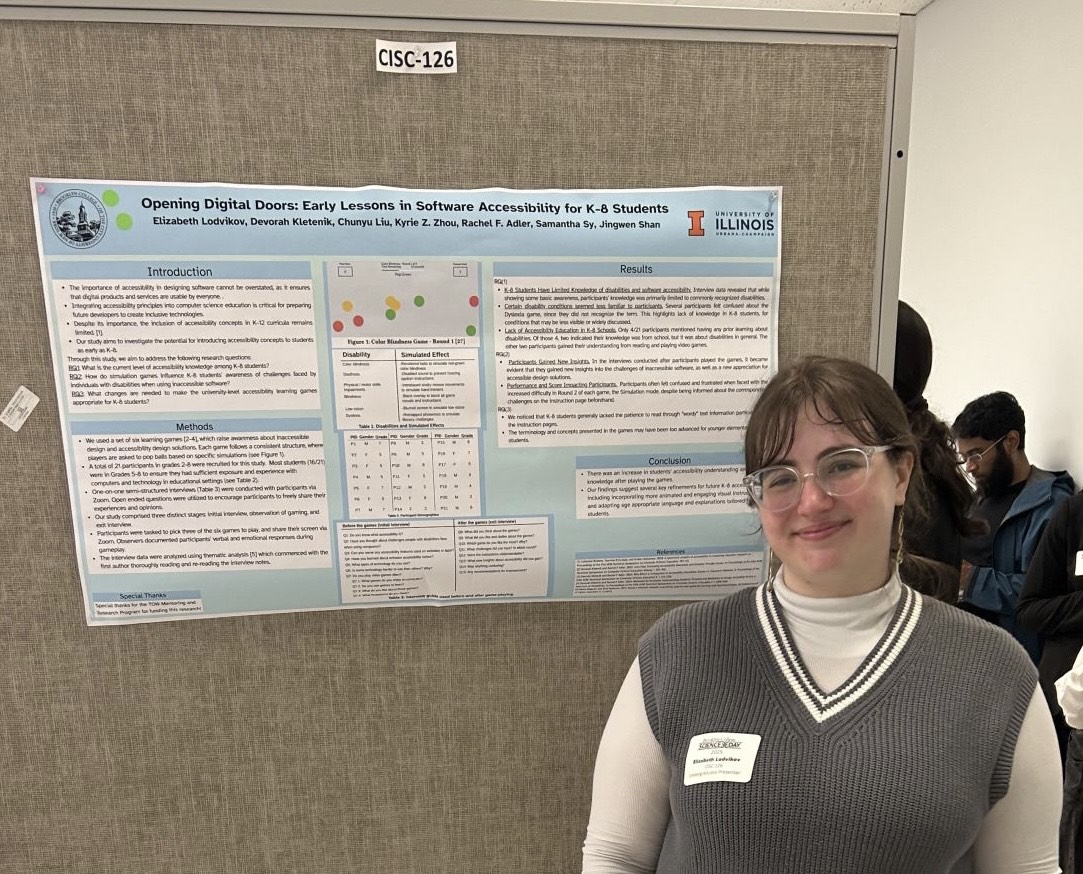
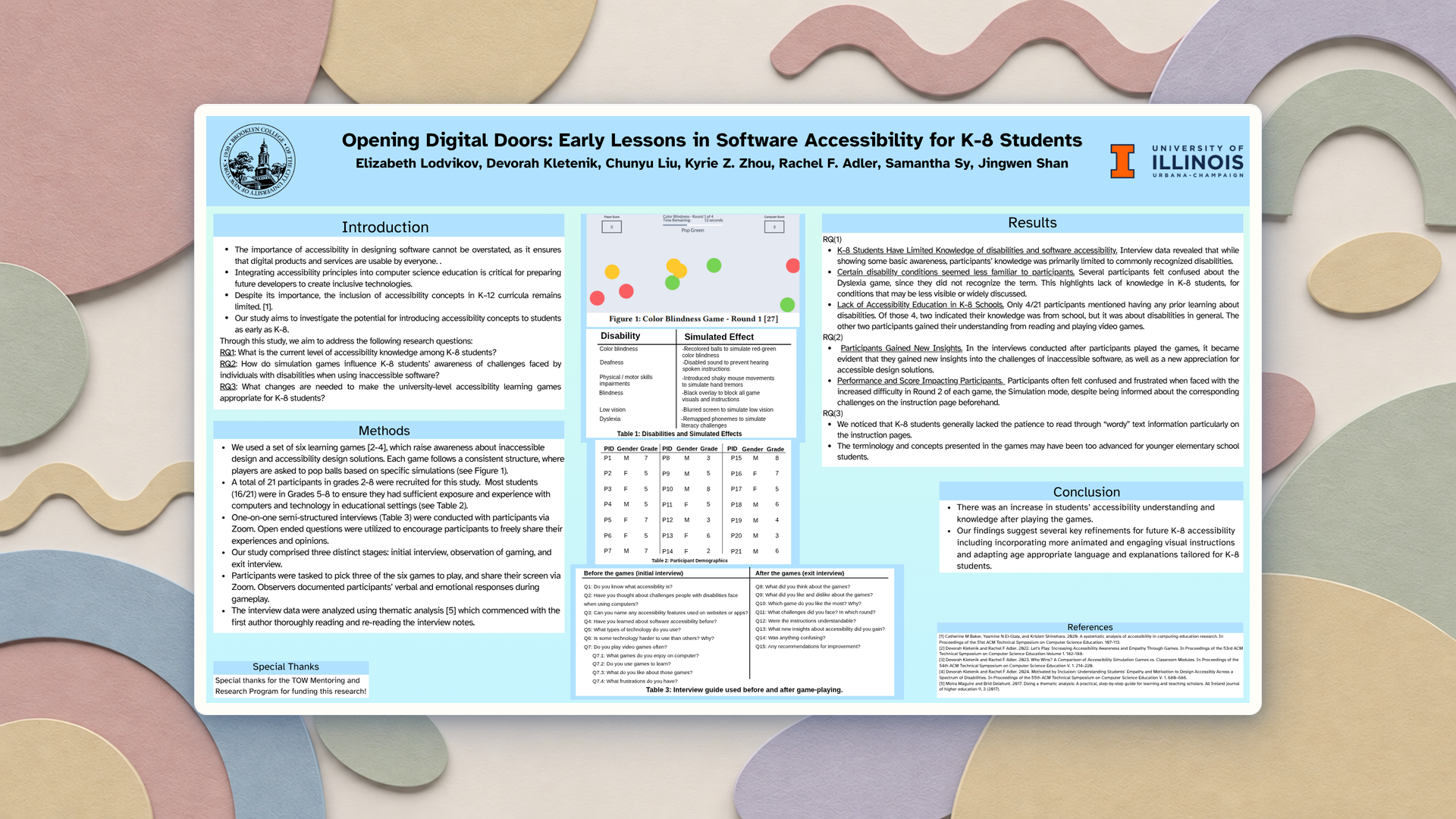
Presenting the "Opening Digital Doors" research poster
- Published in the Proceedings of the 56th ACM SIGCSE Technical Symposium (Pittsburgh, 2025)
- Co-authored with researchers at CUNY Brooklyn College and the University of Illinois Urbana-Champaign
- Open access: free to read in the ACM Digital Library ↗︎
- Presented at Brooklyn College Science Research Day 2025
- Instructions rewritten in plain, accessible language
- Read-aloud feature and larger fonts added after the study
- Keyboard graphics added for keyboard-based games
- Games free to play at gooddesignforall.com ↗︎